

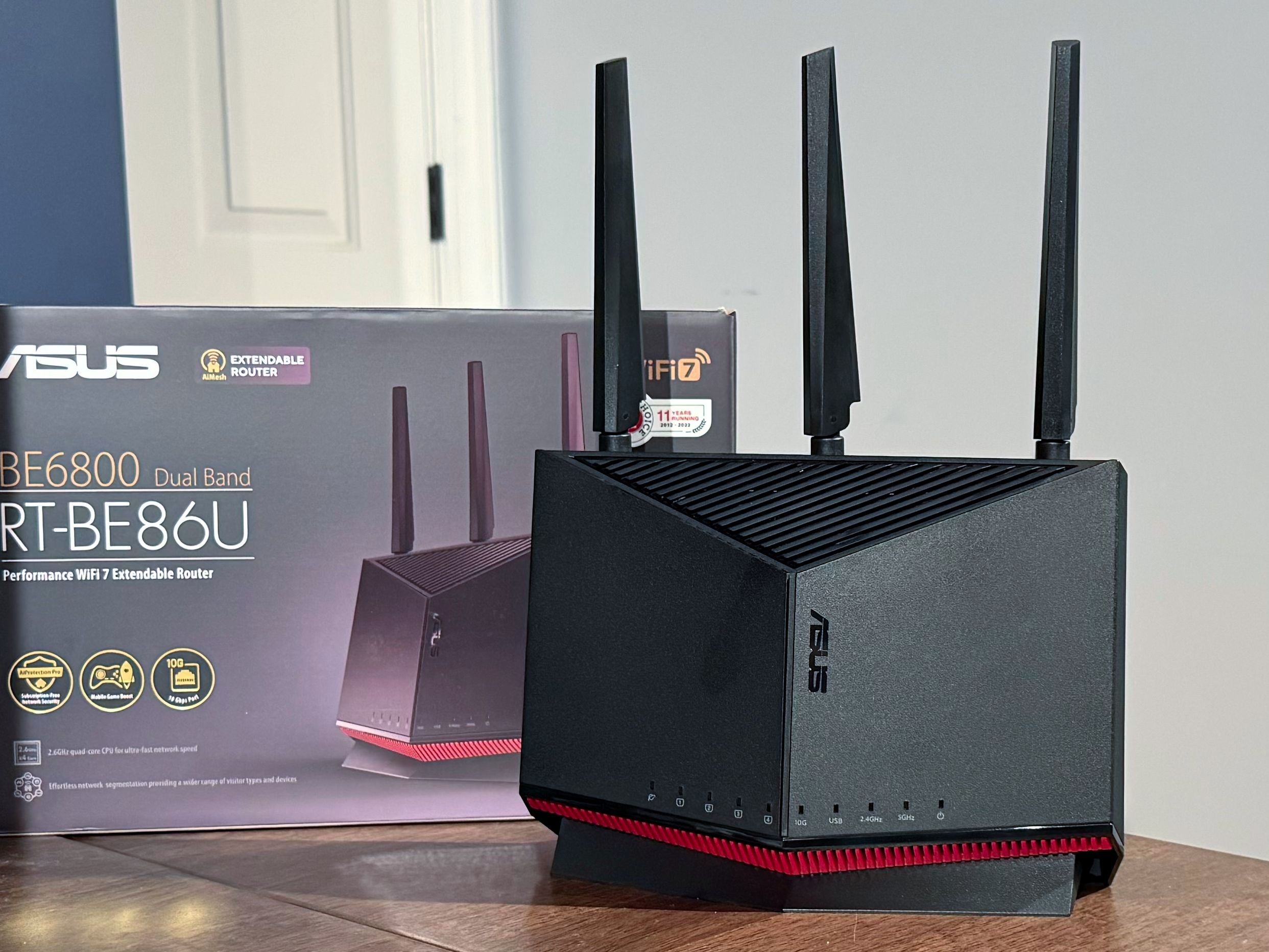
A Wi-Fi router is the most important gadget for your home internet. That’s why we’ve tested the fastest, strongest, and smartest Wi-Fi routers to keep your stream smooth, your games glitch-free, and your sanity intact. Whether you’re a Netflix binger, a remote worker, or just someone tired of buffering wheels, this roundup’s got your signal covered. From budget beasts to future-ready mesh monsters, we’re breaking down the best Wi-Fi routers worth your resources. Before upgrading your speed plan, consider upgrading your router. Let’s plug in and power up the top picks that deliver what your ISP promises.
Top 5 WiFi Routers:
1. TP-Link Deco XE75
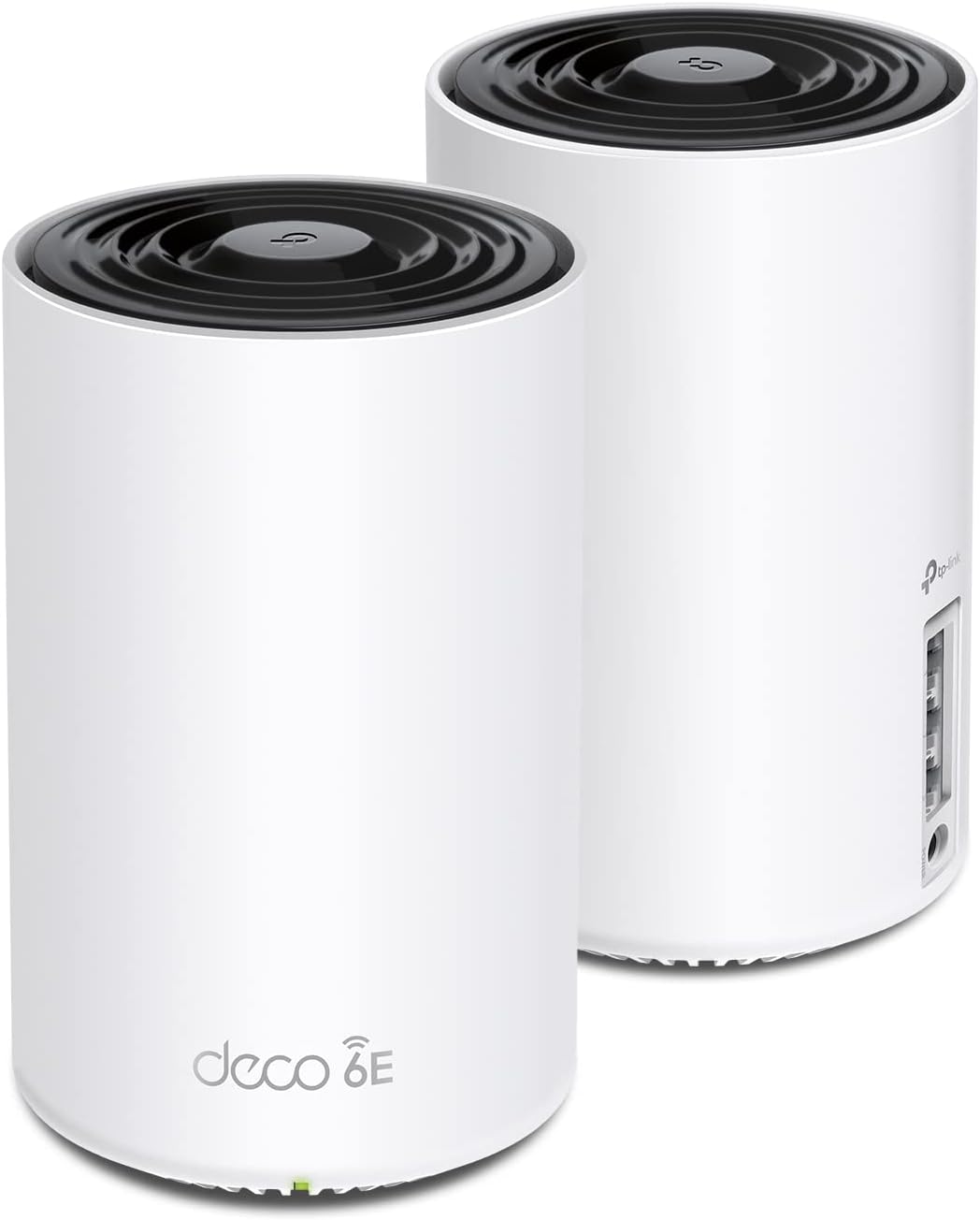
Dead zones and buffering don’t stand a chance with the TP-Link Deco XE75. This WiFi 6E Tri-Band Mesh System completely changes how you experience home internet.
Right away, you feel the difference. Covering up to 5,500 square feet, Deco XE75 easily replaces your old WiFi router and extender setups. It fills your space with fast, seamless connectivity that older systems just can’t match. Adding the new 6 GHz band finally removes the noise caused by legacy devices, giving you a clear, steady signal at all times.
All three WiFi bands working together unleash speeds up to 5,400 Mbps, handling 200 devices like a pro. Streaming 4K movies, gaming, and video calls happen all at once without a single stutter. TP-Link’s focus on cybersecurity shines too—this model stands strong with its Secure-by-Design pledge, meaning safer browsing for your entire family.
Opening that 6 GHz band really brings WiFi 6E to life, offering a huge jump in efficiency and network capacity over traditional WiFi 6 systems. AI-driven mesh technology learns how you use your devices, so your network feels smarter every day.
Using the Deco app makes setup a breeze, and Alexa support is the cherry on top. Free security services like parental controls and IoT protection sweeten the deal.
Nothing beats watching smart WiFi follow you through your home without missing a beat.
2. ASUS RT-AX86U Pro
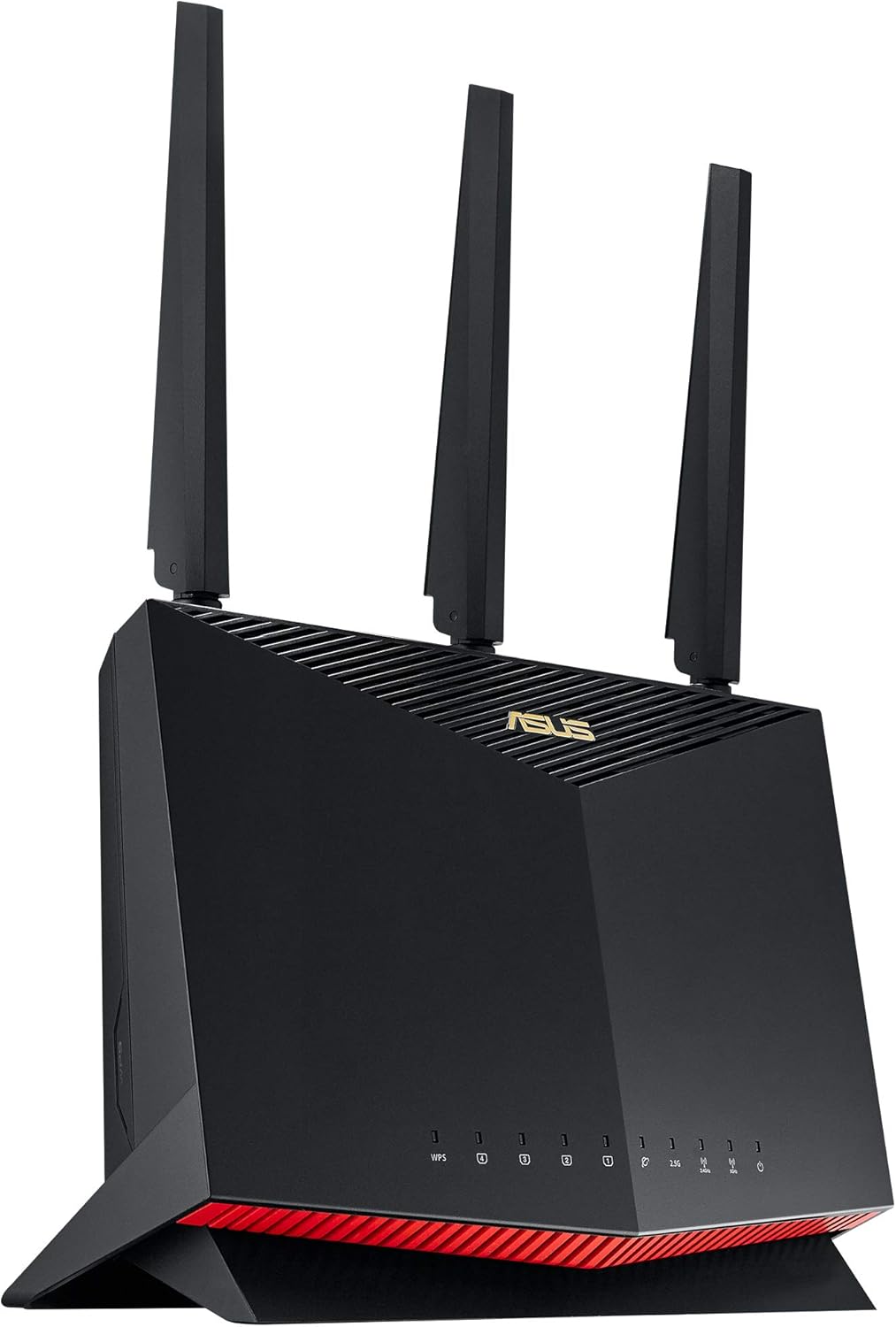
Gaming feels faster and smoother when you power up the ASUS RT-AX86U Pro. This Dual Band WiFi 6 router blasts past old systems with crazy 5700 Mbps speeds.
With new-generation WiFi 6 and 160MHz channels, you enjoy streaming, gaming, and downloads without any annoying drops. Mobile Game Mode gives your phone top priority with just one tap on the ASUS Router app, crushing lag better than most gaming routers out there.
True 2 Gbps speeds through both wired and wireless connections mean you get serious power for 4K streaming and massive game updates. A 2.5G port delivers blazing fast wired performance that outshines regular 1G ports you find on other models.
Commercial-grade security comes baked in, thanks to AiProtection Pro from Trend Micro. You also get ASUS Instant Guard, which lets you create a secure VPN when away from home with just one click—no confusing setup needed.
Building a bigger network stays super simple with AiMesh compatibility. Seamless roaming and smart controls make it easy to grow your coverage without adding a million steps or buying fancy new equipment.
What I love most is how it crushes both gaming and security without needing a subscription.
Once you use this router, you won’t miss slower speeds or sketchy connections ever again.
3. TP-Link Tri-Band Archer BE550

Speed demons, meet your new best friend. The TP-Link Tri-Band Archer BE550 pushes WiFi 7 into overdrive with its incredible BE9300 speeds. Compared to older routers, this one feels like swapping a bike for a rocket. You get blazing 5760 Mbps on 6 GHz, 2880 Mbps on 5 GHz, and 574 Mbps on 2.4 GHz—no slowdowns, no waiting.
Streaming 8K movies and diving into AR/VR games feels smoother than ever. Six internal antennas with Beamforming pack every room with solid, fast WiFi. Multi-Link Operation and 320 MHz channels create a rock-solid experience you can count on every time.
Unlike most routers, the Archer BE550 equips you with full 2.5G WAN and LAN ports. These future-proof connections guarantee top speed, whether you’re gaming, streaming, or transferring massive files.
Adding an EasyMesh device turns your home into a WiFi fortress, killing dead zones and letting you roam freely without dropping your signal.
Security shines bright here, too. TP-Link’s HomeShield offers a powerful shield for your family, IoT devices, and personal data, with parental controls and WPA3 encryption. Setting up a VPN connection across your home devices without extra apps saves you hours of frustration.
Controlling it all with the Tether App on iOS or Android couldn’t be simpler. What I love most is how Archer BE550 manages to blend powerhouse speed with brainy security features, making it a true standout. If you want next-gen performance now, this router delivers.
4. eero 6 mesh wifi router
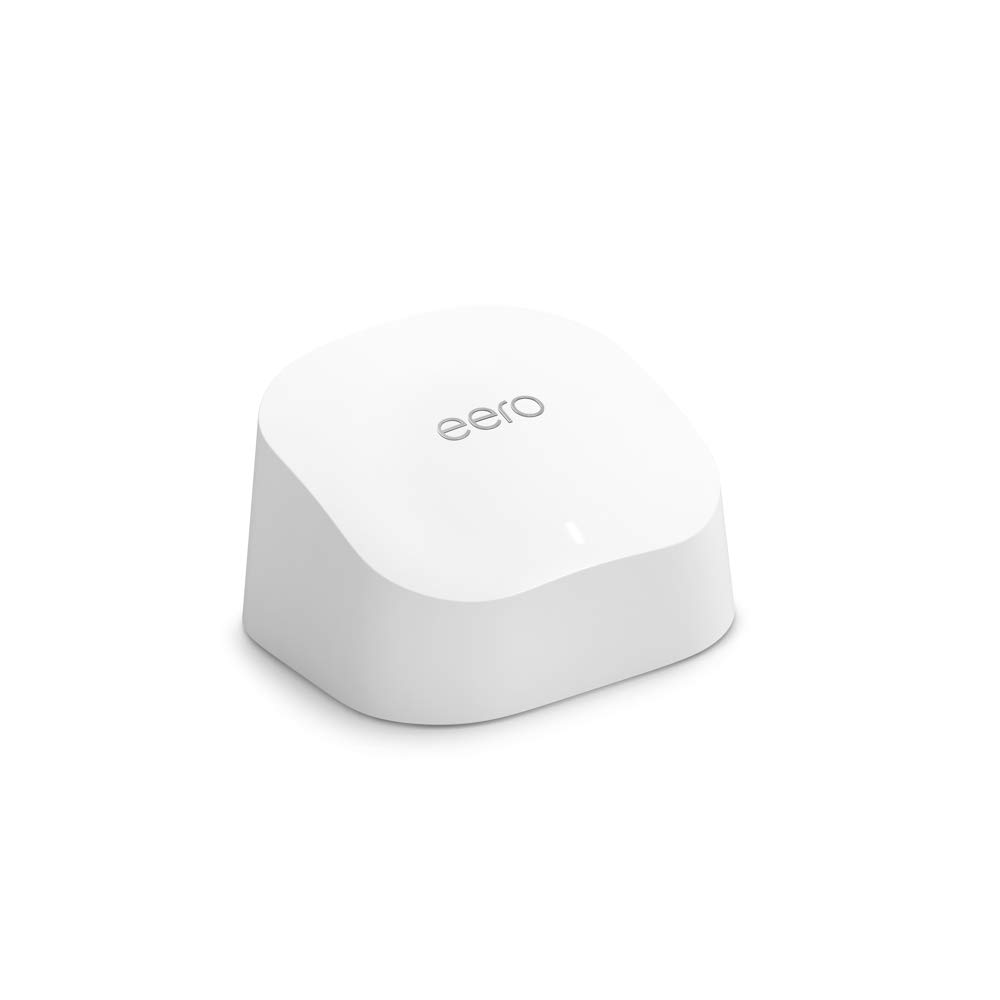
Small router, huge results. The Amazon eero 6 mesh WiFi router quickly turns any space into a WiFi 6 powerhouse with speeds up to 900 Mbps. Unlike older routers, this one holds strong across 1,500 sq. ft. without a single dead spot.
Streaming 4K, gaming online, or running video calls feels flawless thanks to TrueMesh technology. Signals shift intelligently around obstacles, keeping your connection alive even when everyone is online. Handling 75+ devices without breaking a sweat makes it stand tall against bigger, pricier options.
Setting up eero 6 feels effortless with the eero app guiding every step, whether you are home or halfway across the world. Free customer support, available every day, means you’re never stuck troubleshooting alone.
Built-in Zigbee smart home hub lets you connect lights, locks, plugs, and more straight through Alexa. No need for extra hubs or messy setups. Automatic updates constantly improve performance and security without you lifting a finger.
Adding extra eero devices later feels seamless thanks to cross-compatibility, making growing your network stress-free. As your household’s tech grows, eero 6 keeps pace without missing a beat.
What I love most is how eero 6 blends easy setup, smart home power, and resilient speed better than other routers. If you want rock-solid WiFi and future-ready tech in one small package, this one nails it.
5. TP-Link Archer AXE75
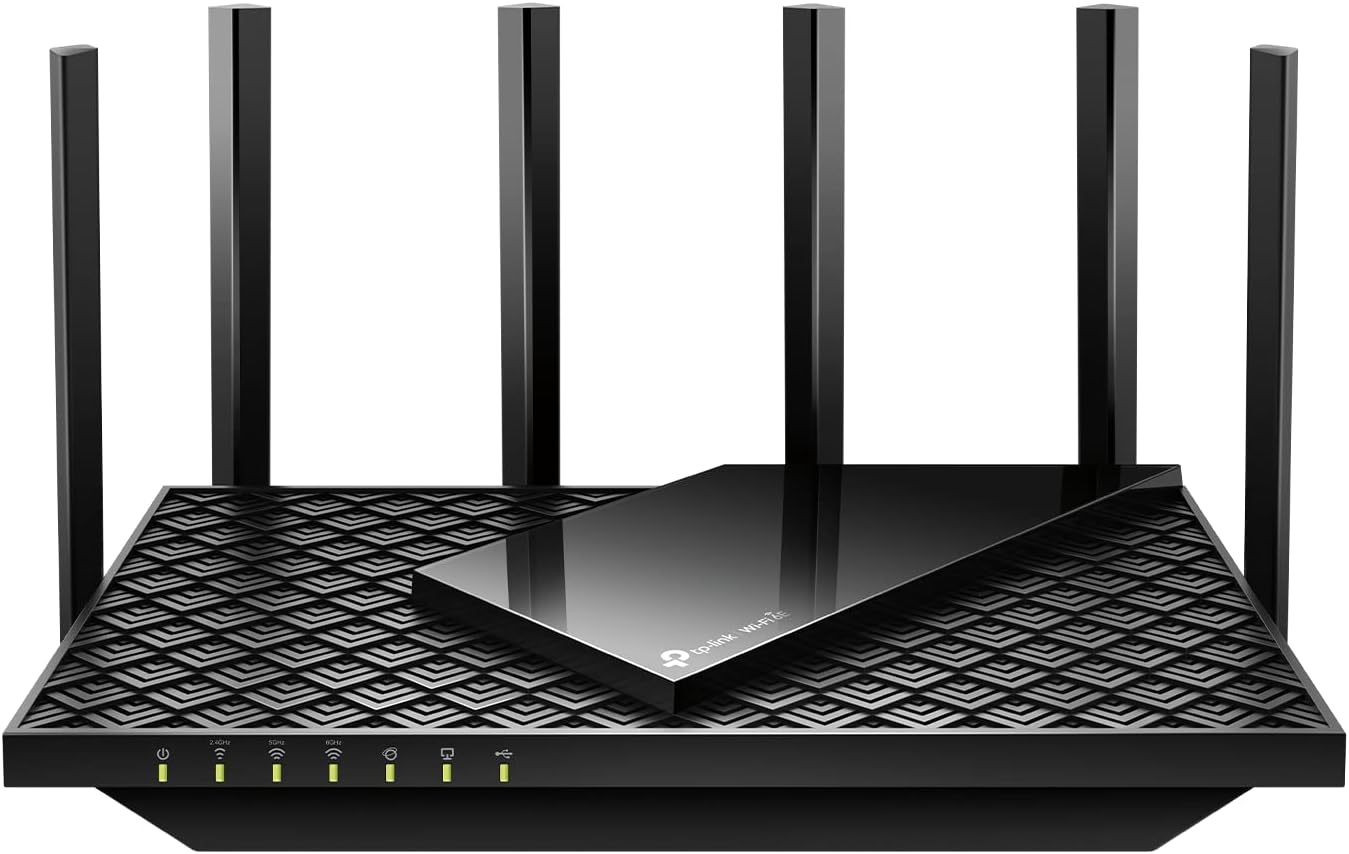
Speed meets power in the TP-Link Archer AXE75, a WiFi 6E router built for serious users. Instantly, you feel the jump to 5400 Mbps across its tri-band network, making older routers seem painfully slow.
Gaming and video chatting feel ultra-smooth thanks to the new 6 GHz band delivering near-zero latency. OFDMA technology boosts capacity, letting you stream, game, and download on multiple devices without any slowdown.
Inside, a 1.7 GHz Quad-Core CPU and 512 MB of high-speed memory handle heavy tasks with ease. Launching apps, loading videos, or hosting virtual meetings feels faster compared to typical dual-core routers.
Setting up a whole-home mesh network feels seamless by pairing with a TP-Link OneMesh Extender. Dead zones vanish, and moving between rooms stays buttery smooth.
Support for both VPN Server and VPN Client gives you better security and flexible browsing options. Whether you are traveling or working from home, staying safe online becomes effortless.
TP-Link’s premium security suite adds even more peace of mind with IoT device protection, parental controls, and network scanning—all included free.
Compatibility with major internet service providers like Verizon, Xfinity, and AT&T makes it even more versatile.
What I love most about the Archer AXE75 is how it flawlessly combines blazing speed, unbeatable coverage, and premium protection into one powerhouse.
Best WiFi Router Buying Guide: Get the Speed, Coverage, and Stability You Deserve
Introduction
Imagine your home without a strong WiFi signal. Videos buffer endlessly, Zoom calls freeze, and smart home devices randomly disconnect. In today’s always-connected lifestyle, your WiFi router plays a crucial role. It’s the invisible link between your devices and the digital world—whether you’re working remotely, streaming in 4K, gaming competitively, or just checking your social media feed.
The router isn’t just a box that spreads internet around the house. It’s a performance gatekeeper. A weak or outdated router can bottleneck your internet, no matter how fast your ISP plan is. On the flip side, a powerful, well-matched router can enhance every corner of your digital experience, making it smoother, faster, and more reliable.
WiFi routers have come a long way. The old-school models with a single antenna and one frequency band have evolved into sleek, multi-antenna, multi-band, mesh-enabled machines packed with tech jargon like MU-MIMO, beamforming, WiFi 6, OFDMA, and QoS. Each of these terms reflects improvements in speed, capacity, or customization.
However, choosing the best WiFi router isn’t one-size-fits-all. A router perfect for a studio apartment might struggle in a multi-story house. A family of five with smart TVs and consoles will need a different setup than a solo professional or a digital nomad. That’s why this guide breaks down router types, features, budget tips, pros and cons, maintenance advice, and troubleshooting tips in easy-to-understand language.
Let’s help you find the best WiFi router to fit your life.
Types of WiFi Routers
Not all routers are built the same. Based on your usage and home layout, different types can deliver vastly different experiences. Here are the main types available today:
1. Single-Band Routers
These basic routers operate solely on the 2.4 GHz frequency band. It’s the oldest WiFi band and offers better range but lower speed. It’s often crowded, as many household devices (like microwaves and cordless phones) operate on the same frequency.
-
Who it’s for: Light users with a small number of connected devices, such as individuals in small apartments who mostly browse, email, or stream in low quality.
2. Dual-Band Routers
Dual-band routers operate on both 2.4 GHz and 5 GHz frequencies. The 5 GHz band offers faster speeds with less interference but over a shorter range. The 2.4 GHz band provides longer range but slower speed.
-
Who it’s for: Ideal for mid-sized homes with moderate usage—think small families with a few devices used for video streaming, video calls, or online gaming.
3. Tri-Band Routers
These routers add an extra 5 GHz band, distributing traffic across three channels instead of two. This reduces congestion, which is especially helpful when many devices are active simultaneously.
-
Who it’s for: Large households, home offices, or anyone using many connected devices—smart TVs, laptops, consoles, and IoT gadgets all at once.
4. Mesh WiFi Systems
Mesh routers use multiple nodes (base + satellites) that work together to provide seamless coverage across large homes. Instead of a single router struggling to reach every room, mesh networks extend consistent coverage to every corner.
-
Who it’s for: Large homes with thick walls, multiple floors, or outdoor coverage needs. Also great for tech novices, as they often offer app-based setup and automatic updates.
5. Gaming Routers
Gaming routers offer high-speed connectivity with low latency. They feature QoS (Quality of Service) settings to prioritize gaming traffic, multiple high-gain antennas, and often have advanced cooling for intense use.
-
Who it’s for: Competitive gamers, streamers, or users running network-intensive tasks. A good option if you demand top-tier ping times.
6. WiFi 6 and WiFi 6E Routers
WiFi 6 (802.11ax) is the current industry standard, offering better speeds, longer battery life for devices, and improved performance with many simultaneous users. WiFi 6E adds access to a new 6 GHz band for even cleaner channels.
-
Who it’s for: Future-proofers, tech enthusiasts, or homes with dozens of connected devices. Also great for smart home setups.
Key Features to Look For
1. WiFi Standard (WiFi 5, 6, or 6E)
-
Why it matters: Each generation boosts speed and device handling. WiFi 6 is faster and more efficient than WiFi 5, while WiFi 6E adds extra channels in the 6 GHz range to avoid congestion.
2. Bands (Dual-Band vs. Tri-Band)
-
Why it matters: More bands mean better management of traffic. A tri-band router lets your phone, laptop, and smart TV run smoothly without fighting over bandwidth.
3. MU-MIMO & Beamforming
-
Why it matters: MU-MIMO lets your router talk to multiple devices simultaneously, while beamforming focuses the signal toward specific devices instead of spreading it in all directions.
4. Security Features
-
Why it matters: Look for WPA3 encryption, firewall protection, guest networks, and automatic firmware updates. Some routers even offer built-in VPN or malware blocking (e.g., ASUS AiProtection).
5. Parental Controls
-
Why it matters: Set limits on screen time, block unsafe sites, or schedule internet access for kids. Useful for families and shared living spaces.
6. USB and Ethernet Ports
-
Why it matters: Ethernet ports provide faster, more stable connections for devices like desktops or consoles. USB ports allow network printing or media sharing from external drives.
7. App-Based Controls
-
Why it matters: Control your network from your smartphone—pause WiFi, run speed tests, prioritize devices, or monitor data usage.
Things to Consider Before Buying
Budget
-
Entry-level ($50–$100): Great for small households with light to moderate usage. Usually dual-band with basic controls.
-
Mid-range ($100–$200): Adds more speed, better range, and features like MU-MIMO, parental controls, and smart app support.
-
High-end ($200+): Includes tri-band, WiFi 6/6E, mesh support, and more powerful hardware for large homes or heavy-duty usage.
Tip: Match your router to your internet speed. A gigabit router is wasted on a 100 Mbps plan.
Size & Coverage Area
Measure the size of your home and note signal dead zones. A basic router might cover 1,200–1,800 sq. ft., while mesh systems can go well beyond 5,000 sq. ft.
Ease of Setup
Many modern routers use mobile apps for guided setup, firmware updates, and network control. Look for routers with intuitive UIs or tech support if you’re not tech-savvy.
Durability & Warranty
Reliable brands offer warranties of 1–3 years, along with firmware updates to keep performance optimized and secure. Consider how often you’re willing to upgrade your hardware.
Pros and Cons
| Pros | Cons |
|---|---|
| Faster speeds and better stability | High-end models can be expensive |
| Coverage for large homes with mesh systems | Initial setup may confuse non-tech users |
| Supports many devices simultaneously | May require frequent firmware updates |
| Stronger network security and control | Some features may go unused by casual users |
| Smart apps make control easy | Router design can be bulky for small spaces |
Step-by-Step Buying Guide
1. Research Your Needs
Think about how you use the internet. Are you streaming in HD? Hosting Zoom meetings? Running smart bulbs, thermostats, and security cameras? Count the devices in your household. Don’t forget phones, laptops, TVs, tablets, gaming consoles, and smart appliances.
Tip: Most routers list how many devices they can support—check this against your setup.
2. Compare Products
Browse comparison sites, tech blogs, and real user reviews. Focus on:
-
Speed (Mbps): Match with your ISP plan.
-
Coverage (Sq. ft.): Fits your living space.
-
Device support: At least 20+ if you’re in a smart home.
-
Customer service ratings: Crucial for setup and support.
Look for trusted brands like:
-
TP-Link (affordable, reliable)
-
ASUS (performance and security)
-
Netgear (power users and gamers)
-
Linksys (ease of use)
-
Google Nest (simple, mesh-based control)
3. Finalize Your Choice
Once you narrow it down:
-
Buy from trusted retailers (Amazon, Best Buy, direct brand sites)
-
Check warranty terms
-
Compare return policies
-
Verify firmware update support
Maintenance Tips
1. Reboot Periodically
Restart your router every 1–2 weeks to improve performance and clear minor bugs.
2. Update Firmware
Manufacturers release updates to fix security flaws and improve functionality. Enable auto-updates if available.
3. Optimize Placement
Keep your router in a central, open area—not hidden behind furniture or near thick walls. Avoid electronic interference from microwaves or TVs.
4. Clean and Ventilate
Overheating can reduce lifespan. Keep your router clean, upright, and ensure it’s ventilated.
Common Issues and Troubleshooting
| Issue | Possible Fix |
|---|---|
| Slow internet | Reboot router, update firmware, or reduce device load |
| Weak signal in rooms | Add mesh node or extender; reposition router |
| Devices not connecting | Check settings, reset network, or disable MAC filtering |
| Frequent disconnections | Check for overheating; update firmware; switch bands |
| Forgotten password | Reset router via hardware button and reconfigure |
Final Words
The right WiFi router can drastically improve how you live, work, and play. It’s not just about internet access—it’s about internet quality. From bingeing Netflix to attending remote meetings or gaming without lag, your router plays a key role in everyday digital life.
Prioritize features that match your needs. There’s no point spending hundreds on a gaming router if you only use your network to check email. Likewise, don’t underbuy and suffer daily frustration. Match your router to your home, your internet habits, and your ISP plan.
Invest wisely—and enjoy faster, safer, and smoother internet everywhere in your home.