

A modern router updates your home internet smarter and 10x faster compared to the old model router, Ready to banish buffering and skyrocket your Wi-Fi? You’ve landed in the right place! Today, we’re diving into the world of modem-router combos, the tech-savvy superheroes that blend the powers of a modem and a router into one seamless device. Say goodbye to clutter and hello to faster, stronger, and smarter internet. Let’s explore the best modem-router combos that’ll make your home network the envy of the neighborhood.
Top 5 Modem-Router Combos:
1. Arris Surfboard G34 Modem-Router
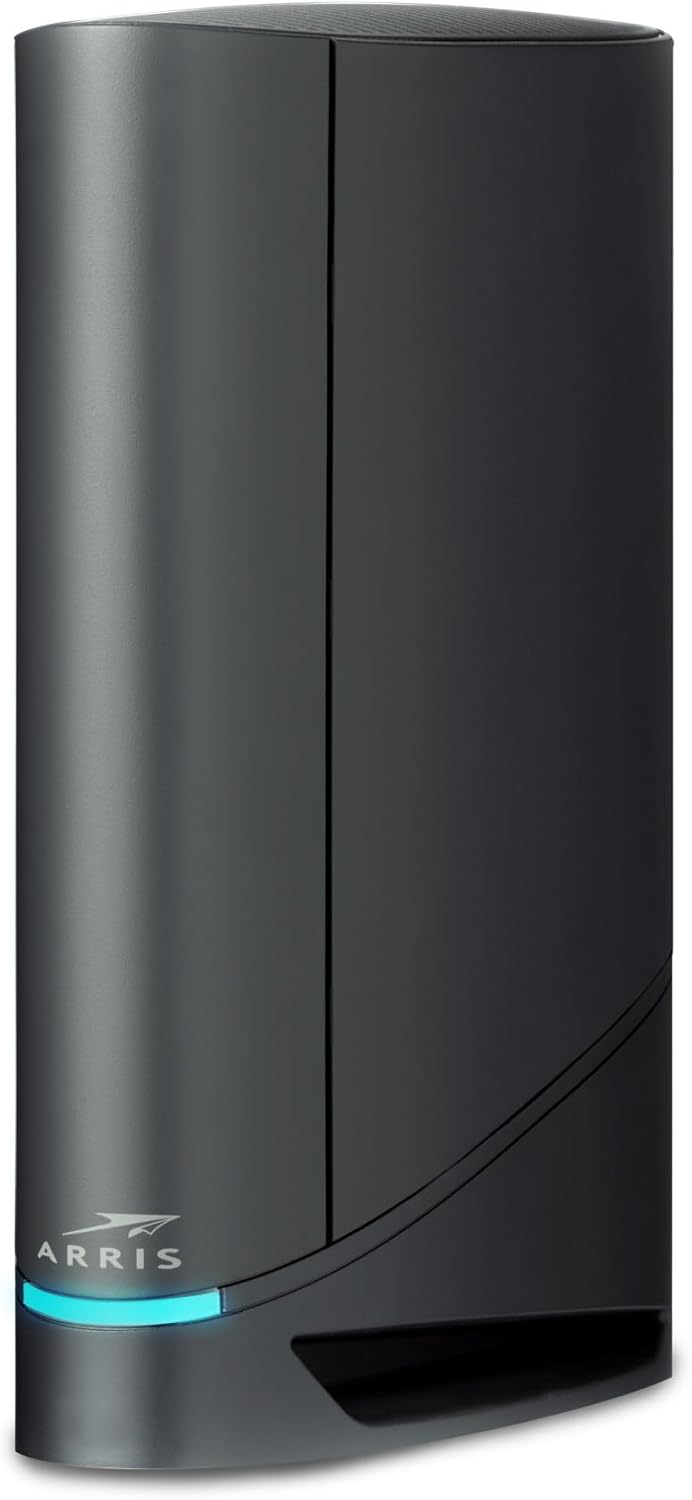
Ready to transform your internet experience? The ARRIS SURFboard G34 Modem-Router packs high speeds and low latency in a single device. This modem-router combo is a standout in its class, boasting DOCSIS 3.1 technology for 10x faster speeds compared to older DOCSIS 3.0 models. Setup is a breeze with the SURFboard Central App guiding you step-by-step.
Owning your modem saves money on rental fees, potentially cutting $168 off your annual cable bill. Compatibility with major U.S. providers like Cox, Spectrum, and Xfinity ensures seamless integration. The four 1-Gigabit ethernet ports offer robust wired connections for your most important devices, while Wi-Fi 6 delivers speeds up to 3 Gbps, ensuring your entire home benefits from ultra-fast streaming and downloading.
My favorite feature? The comprehensive app that simplifies setup and network customization. Compared to similar models, the G34’s user-friendly interface and performance stand out. It handles multiple devices effortlessly, maintaining high speeds and low latency. In conclusion, the ARRIS SURFboard G34 is an excellent choice for anyone looking to upgrade their home network with a reliable, cost-effective solution.
2. Netgear Orbi RBK753

A powerhouse for large homes, the Netgear Orbi RBK753 delivers. With coverage up to 7,500 sq. ft., this system ensures seamless internet for all your devices. You’ll appreciate the fast AX4200 Gigabit speed, especially when streaming, gaming, or web conferencing. It connects to any internet provider up to 2Gbps, making it incredibly versatile.
Setting it up is a breeze with the Orbi app. You can manage your WiFi with ease, a huge plus for non-techies. Each satellite extends coverage by 2,500 sq. ft., ideal for sprawling spaces. With three Gigabit Ethernet ports on the router and two on each satellite, you can plug in your essential devices directly.
Security is another strong point. NETGEAR Armor offers robust protection for all your connected devices. This automatic shield gives peace of mind, knowing your network is secure.
What stands out most is the performance consistency. Even with multiple devices connected, the WiFi speed remains steady. It’s a step above many competitors, offering reliable and fast internet throughout your home.
the Orbi RBK753 is a top choice for those needing extensive coverage and reliable speed. Its ease of use and solid security features make it a standout in the WiFi 6 market.
3. Netgear Nighthawk CAX30S
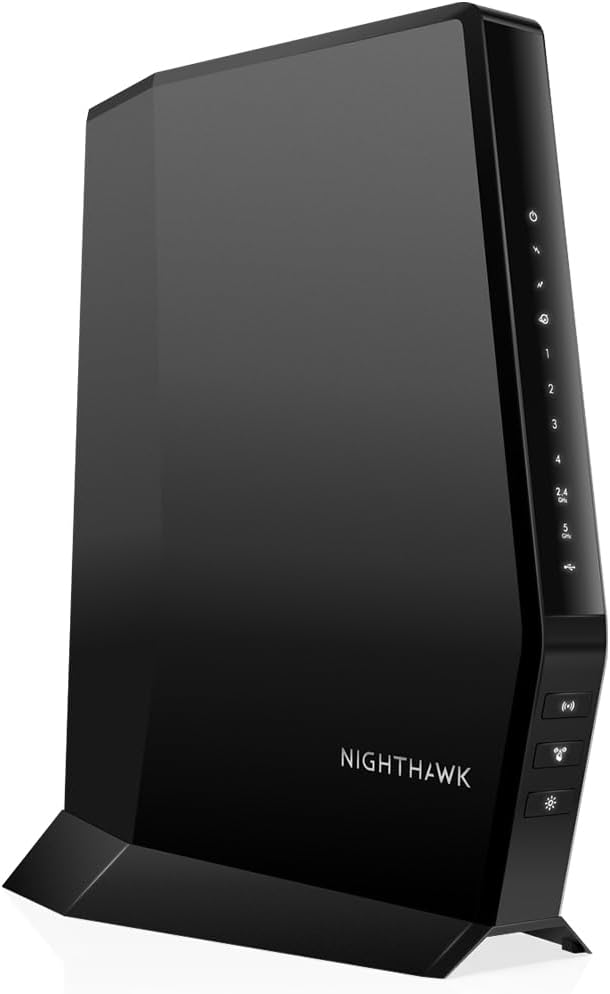
The Netgear Nighthawk CAX30S impresses with its speed and coverage. Offering dual-band WiFi 6 speeds up to 2.7Gbps, it handles up to 25 devices across 2,500 sq. ft., making it perfect for gaming and streaming. Four Gigabit Ethernet ports and one USB 3.0 port provide flexible connections for your wired devices, including computers, game consoles, and storage drives.
Setting up is quick and simple with the Nighthawk app, allowing you to manage settings, test speeds, and monitor data usage easily. This device replaces your cable modem and WiFi router, saving you up to $168 annually in rental fees.
Security is robust with NETGEAR Armor software, which automatically shields your WiFi and connected devices. It supports WPA, WPA2, and WPA3 protocols, ensuring comprehensive protection.
What stands out most is the reliability and performance. You get consistent high-speed internet without interruptions. It’s a notable improvement over many other models in its price range, especially considering the long-term savings on rental fees.
In conclusion, the Nighthawk CAX30S excels in speed, security, and ease of use. Its comprehensive feature set makes it a top choice for both gamers and households needing reliable, high-speed internet.
4. ARRIS SURFboard SBG8300
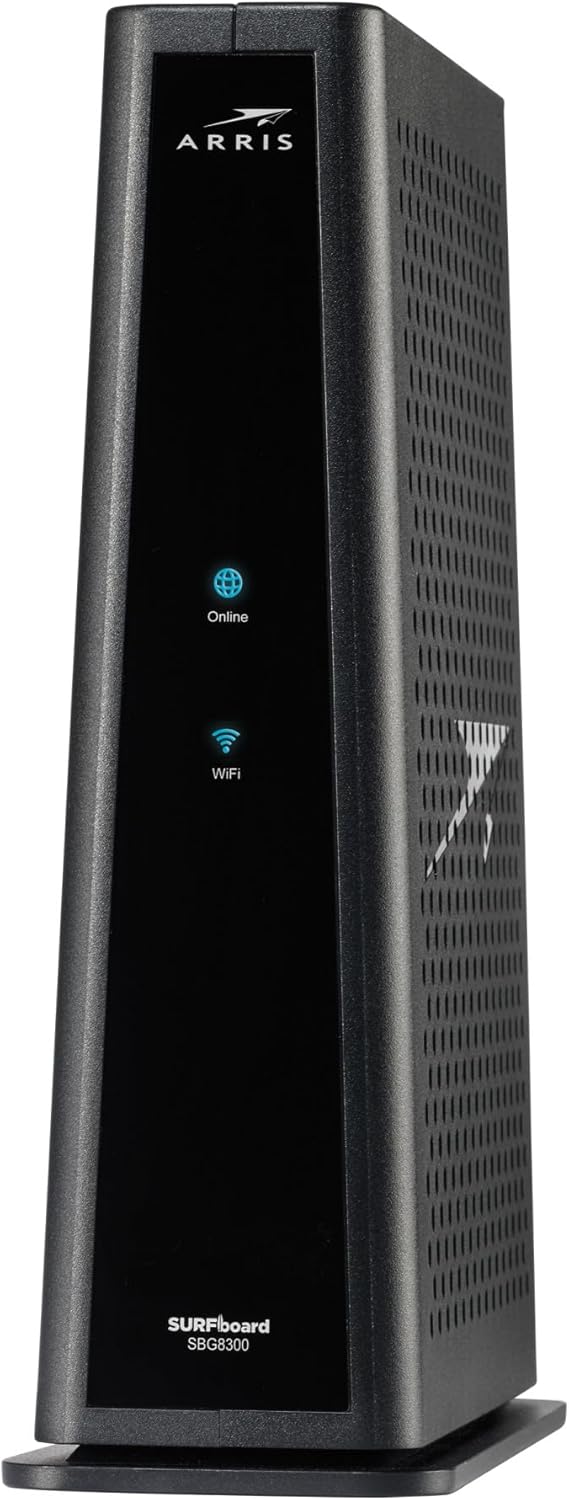
The ARRIS SURFboard SBG8300 is a powerhouse for your home network. Offering high speeds and low latency, this two-in-one Wi-Fi cable modem enhances your internet experience. With coverage up to 2,800 sq. ft., it ensures ultra-fast streaming and downloading throughout your home.
DOCSIS 3.1 technology makes it 10 times faster than DOCSIS 3.0 and provides better security. This means smoother streaming and quicker downloads with fewer interruptions. Four 1-Gigabit Ethernet ports offer flexible wired connections for your essential devices, from game consoles to smart TVs.
Setting up is a breeze with the SURFboard Central App. Just plug it in, download the app, and you’re ready to go. This simplicity is perfect for non-techies who want hassle-free installation. Wi-Fi 5 speeds up to 2.3 Gbps to ensure fast and reliable connections for all your devices.
What stands out most is the cost savings. Reducing your cable bill by up to $168 per year in rental fees is a significant benefit. It’s an investment that pays for itself over time.
In conclusion, the ARRIS SURFboard SBG8300 offers high speed, extensive coverage, and significant savings. Its ease of use and advanced technology make it a standout choice for enhancing your home network.
5. Motorola MG7550.
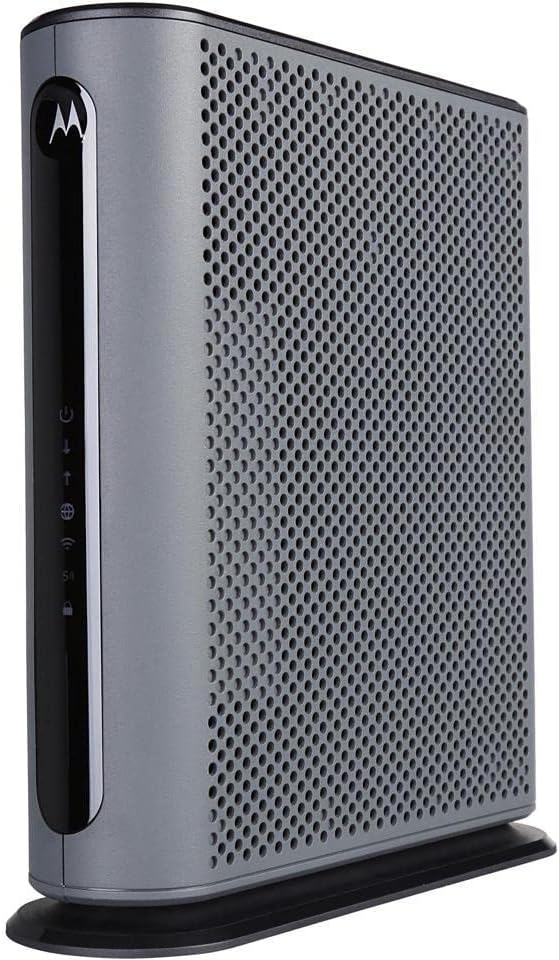
The Motorola MG7550 is a game-changer for your home internet needs. With DOCSIS 3.0 technology, this modem-router combo provides reliable speeds and strong performance. You’ll experience download speeds up to 686 Mbps and upload speeds reaching 123 Mbps, which means smooth streaming and fast browsing.
Its Wi-Fi 5 support ensures a maximum connectivity speed of 1,900 Mbps, catering to multiple devices with ease. Dual-band capabilities (2.4GHz and 5GHz) help reduce interference and improve overall connection quality. The ability to connect up to 253 devices makes it perfect for busy households or small offices.
Four Gigabit Ethernet ports offer flexible wired connections for your most important devices. These ports enhance speed and stability for gaming consoles, PCs, and smart TVs. Advanced firewall features, along with WPA and WPA2 security protocols, provide robust protection against threats, keeping your network secure.
Weighing just 1.48 pounds, the Motorola MG7550 is lightweight and easy to install. The standout feature is its consistent performance. You get reliable internet without frequent dropouts or slowdowns, unlike some competitors.
In conclusion, the Motorola MG7550 excels in speed, connectivity, and security. Its user-friendly design and dependable performance make it a strong contender in the modem-router market.
The Ultimate Buying Guide to the Best Modem-Router Combo
A modem-router combo can streamline your internet setup, save space, and even cut monthly rental fees. Instead of juggling two separate devices, a combo gives you reliable connectivity, faster speeds, and fewer wires—all in one sleek package. Whether you’re working from home, gaming online, or streaming in 4K, the right combo unit keeps you connected and in control.
Types of Modem-Router Combos
There are a few main types of modem-router combos, depending on your internet type and performance needs.
1. Cable Modem-Router Combos
What it is:
These units connect to cable internet services via a coaxial cable and include a built-in Wi-Fi router.
Who it’s for:
Perfect for users with Comcast Xfinity, Cox, or Spectrum plans who want fast, reliable service and want to stop renting equipment.
2. DSL Modem-Router Combos
What it is:
These use your home’s telephone line and are compatible with DSL internet services.
Who it’s for:
Best for people in rural areas or older buildings where cable isn’t available, but DSL is.
3. Fiber Gateway Combos
What it is:
These are rarer, typically provided by fiber providers like AT&T or Verizon, and combine ONT (optical network terminal) with Wi-Fi routing.
Who it’s for:
Users on fiber networks—although most providers still require separate ONTs and allow you to use your own router.
Key Features to Look For
1. DOCSIS Standard
DOCSIS (Data Over Cable Service Interface Specification) dictates how fast your modem can go.
-
DOCSIS 3.0: Good for plans up to 500 Mbps.
-
DOCSIS 3.1: Future-proof, supports speeds up to 10 Gbps.
Always match this to your internet speed tier.
2. Wi-Fi Standard
Modern combos support different Wi-Fi protocols.
-
Wi-Fi 5 (802.11ac): Standard for HD streaming and most homes.
-
Wi-Fi 6 (802.11ax): Faster, handles more devices, ideal for smart homes.
-
Wi-Fi 6E: Adds a 6GHz band for less interference (best for high-demand users).
3. Ethernet Ports
Look for at least 2–4 Gigabit Ethernet ports for wired connections—essential for gaming, workstations, and media streaming devices.
4. Built-In Security and Controls
Extras like parental controls, firewall protection, and guest networks are useful for managing your home network and devices.
Things to Consider Before Buying
Budget
Modem-router combos range widely:
-
Budget (Under $150): Good for basic streaming, browsing, and video calls.
-
Mid-range ($150–$250): Better speeds, more ports, modern Wi-Fi standards.
-
High-end ($250+): DOCSIS 3.1, Wi-Fi 6/6E, great for gaming, multiple 4K streams, and large homes.
Tip: Buying your own can save $120–$180 a year vs renting from your ISP.
Compatibility
Not every modem works with every provider. Always check that your combo is:
-
ISP-approved (check your provider’s compatible equipment list)
-
Designed for your plan’s speed tier (don’t bottleneck performance)
Size and Space
These devices combine two components, so they’re often bulkier than standalone routers. Ensure you have space with good airflow to prevent overheating.
Ease of Setup
Most modern combos offer:
-
App-based setup (e.g., NETGEAR, Motorola)
-
Web dashboard for deeper settings
-
QR code setup for Wi-Fi access
Look for plug-and-play options if you’re less tech-savvy.
Pros and Cons
| Pros | Cons |
|---|---|
| Saves money on rental fees | If one part fails, you must replace both modem and router |
| Fewer wires and clutter | Limited customizability compared to separate units |
| Easy setup and integration | Upgrade path is limited if you want better Wi-Fi or modem separately |
Step-by-Step Buying Guide
1. Research Your Internet Plan
Check your ISP’s speed and compatibility list. If you have Gigabit speeds or plan to upgrade, opt for DOCSIS 3.1 and Wi-Fi 6 or 6E.
2. Match the Features to Your Use Case
If you stream a lot or game online, prioritize:
-
High-speed standards (DOCSIS 3.1, Wi-Fi 6)
-
QoS (Quality of Service) settings
-
Multiple Ethernet ports
If you have many smart devices, pick something with good device handling and security tools.
3. Compare and Finalize
Compare models by:
-
Speeds supported
-
Number of Ethernet ports
-
App support and reviews
Look for deals at major retailers or directly from the brand, and verify the return window.
Maintenance Tips
Tip 1: Update Firmware Regularly
Check for and install firmware updates to patch security holes and improve performance.
Tip 2: Reboot Monthly
A quick restart can clear up performance slowdowns and refresh the connection.
Tip 3: Keep It Ventilated
Don’t stack it or cram it into a cabinet—heat can cause slowdowns or premature failure.
Common Issues and Troubleshooting
-
Frequent Disconnects: Check for firmware updates and avoid overheating.
-
Slow Speeds: Use a wired connection to test your modem; adjust router placement.
-
Wi-Fi Dead Zones: Consider pairing with a mesh extender if your home is large.
Final Words
A modem-router combo is a smart choice for simplifying your home network without sacrificing speed or quality. Whether you’re trying to ditch monthly rental fees or simply need better performance, choosing the right combo can keep your devices connected seamlessly.
Make sure it matches your internet plan, supports modern Wi-Fi, and has the ports or features your household needs. With the right pick, you’ll enjoy faster browsing, smoother streaming, and fewer tech headaches.